



Intel RealSense D405 vs D435i vs D455: Price, Specs & Setup (2026)
Which RealSense depth camera to buy for a robot: D405 for the wrist, D435i for the workspace, D455 for range. Live US prices, cited specs, first-hour setup with librealsense and ROS 2, and the faults teams hit most.
RealSense stereo depth cameras are the default 3D sensor on research manipulators, from single-arm pick-and-place benches to bimanual data-collection rigs. The models share one SDK and one ROS 2 driver. They differ in where they see well: the D405 works from centimetres away, the D435i covers a tabletop workspace, and the D455 and D457 reach across a room. This guide explains which one to buy for each camera position on a robot, shows what each costs from our US store today (prices update from the store automatically), and covers the first hour of setup and the faults we see most.
Short answer: put a D405 on the wrist, a D435i (or D435) over the workspace, and a D455 on a mobile base or humanoid head. Choose the D457 when the camera has to survive dust, water and long cable runs on a vehicle.
RealSense prices in the US (live)
| Camera | Our price | Best position on a robot |
|---|---|---|
| RealSense D405 | $450.00 | Wrist or gripper, 7–50 cm |
| RealSense D405 (refurbished) | $450.00 | Same as D405 |
| RealSense D435 | $550.00 | Fixed overhead or side view |
| RealSense D435i | $550.00 | Overhead, or anywhere the camera moves (adds an IMU) |
| RealSense D435i (refurbished) | $550.00 | Same as D435i |
| RealSense D415 | $450.00 | Static scanning where a narrow view is fine |
| RealSense D455 | $650.00 | Mobile base, humanoid head, room-scale scenes |
| RealSense D455 (refurbished) | $650.00 | Same as D455 |
| RealSense D457 GMSL | $690.00 | Vehicles and AMRs that need IP65 and GMSL |
| RealSense L515 | $800.00 | Only to match an existing L515 rig |
Each product page shows current stock and the delivery estimate. For the refurbished units, ask us what the refurbishment covered and what warranty applies before you order.
Specs that decide the choice
All figures are from RealSense's own product pages (D405, D430 family, D450 family, D415) unless noted.
| D405 | D435 / D435i | D455 | D415 | |
|---|---|---|---|---|
| Ideal range | 7 cm – 50 cm | 0.3 – 3 m | 0.6 – 6 m | 0.5 – 3 m |
| Depth accuracy | ±2% at 50 cm | <2% at 2 m | <2% at 4 m | <2% at 2 m |
| Depth field of view | 87° × 58° | 87° × 58° | 87° × 58° | 65° × 40° |
| Depth output | up to 1280 × 720, up to 90 fps | up to 1280 × 720, up to 90 fps | up to 1280 × 720, up to 90 fps | up to 1280 × 720, up to 90 fps |
| Depth shutter | Global | Global | Global | Rolling |
| RGB | From the left depth imager, 1280 × 720 at 30 fps, global shutter | 1920 × 1080 at 30 fps, rolling shutter (our D435 listing) | 1280 × 800 at 30 fps, global shutter | 1920 × 1080 at 30 fps, rolling shutter |
| IMU | No | D435i only | Yes | No |
| Size | 42 × 42 × 23 mm, 60 g | 90 × 25 × 25 mm | 124 × 26 × 29 mm | 99 × 20 × 23 mm |
The D457 uses the D455 optics in an IP65 enclosure with GMSL/FAKRA connectivity and an IMU, at 124 × 26 × 36 mm. Its sibling, the D456, keeps USB inside the same IP65 housing. Both are on the D450 family page.
Three consequences matter more than any single line in that table:
- Minimum distance decides the wrist camera. A gripper camera spends the important part of every grasp closer than 30 cm, which is inside the D435i's blind zone and well inside the D455's. The D405 is built for that range, and at 7 cm it resolves features under 1 mm, according to RealSense. On a wrist, the D405 is the only RealSense that keeps depth through the last centimetres of a grasp.
- Baseline buys range, at the cost of near range. The D455's 95 mm stereo baseline doubles the D435's ideal range, but it starts seeing at 0.6 m. Mount it where the scene is far away, not over a tabletop.
- The "i" is the IMU, nothing else. The D435i is a D435 with an inertial sensor. Buy it when the camera moves (a wrist, a head, a mobile base) or you run visual-inertial SLAM. For a camera bolted over a fixed workspace, the D435 does the same job.
Which RealSense for a manipulation rig?
- Wrist camera on an arm or gripper: D405. It is small and light (42 × 42 × 23 mm, 60 g), mounts with one 1/4-20 and two M3 threads, and its colour image comes from the same imager as depth, so RGB and depth are aligned without extra calibration.
- Overhead or third-person workspace view: D435i, or the D435 if the camera never moves. Its 87° × 58° field of view spans roughly 1.9 m × 1.1 m at 1 m distance, enough for a typical tabletop.
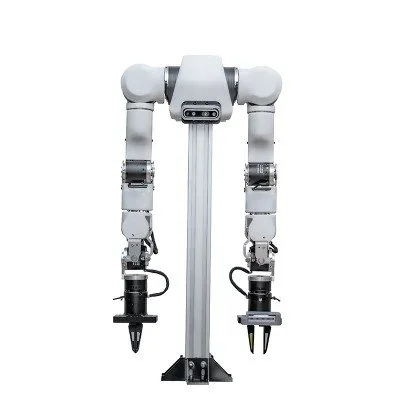
- Bimanual rigs (ALOHA-style): one layout that fits the ranges above is a D405 on each wrist plus one D435i overhead. Read the camera setup guide for teleoperation for mounting heights, synchronisation and calibration.
- Mobile manipulators and humanoid heads: D455 for navigation-range depth with a global-shutter RGB that does not smear while the base moves. Use a D405 on the wrist for the grasp itself.
- Outdoor robots, vehicles, long cable runs: D457 (GMSL) or D456 (USB) for the IP65 housing.
- High-detail static scanning: D415. Its narrower field of view puts more pixels on the object, but its rolling shutter makes it a poor choice on anything that moves.
Not sure RealSense is right at all? Compare depth cameras side by side, including Orbbec, Luxonis OAK and Stereolabs ZED, or read our roundup of the best depth cameras for robotics.
First hour with a RealSense
- Use a USB 3 port and the supplied cable. Plug in directly, not through an unpowered hub.
- Install librealsense from the RealSense apt repository. On Ubuntu, follow the Linux distribution guide: add the signing key and repository, then
sudo apt-get install librealsense2-dkms librealsense2-utils. - Open
realsense-viewerand check the connection. The device info should show a USB 3 connection. Turn on the depth and colour streams and confirm both run at the resolution you plan to record. - Update the firmware from the viewer if it offers an update, before you collect any data. Keep the firmware and SDK versions in your experiment log.
- Install the ROS 2 wrapper. The realsense-ros README gives
sudo apt install ros-<distro>-realsense2-*(for exampleros-humble-realsense2-*). Then runros2 launch realsense2_camera rs_launch.py align_depth.enable:=true pointcloud.enable:=true. - Multiple cameras: launch one node per camera with its own
camera_nameandserial_no(the README's example isserial_no:=_831612073525, with a leading underscore), so a USB re-enumeration never swaps your wrist and overhead streams. - IMU (D435i, D455, D457): enable it with
enable_gyro:=true enable_accel:=true. Setunite_imu_methodif you need a singleimutopic.
Calibrate the camera-to-robot transform (hand-eye calibration) before recording demonstrations. Our camera setup guide covers it step by step.
Common problems and what to check first
- Only low resolutions or frame rates are available. The camera has enumerated as USB 2. Swap the cable, use a port directly on the computer, and re-check the connection type in
realsense-viewer. - "Frame didn't arrive" timeouts, or streams that drop after minutes. This is usually USB bandwidth or power. Too many cameras share one controller, or a hub can't supply enough current. Spread the cameras across controllers, lower the resolution or frame rate you don't need, and try
initial_reset:=truein the ROS 2 launch. - Holes in the depth image on shiny, black or transparent objects. That is the physics of stereo depth, not a fault. Keep the IR projector on, add texture or diffuse lighting where you can, and consider the IR-pass "f" variants (D435f, D455f), which RealSense says reduce artifacts from reflections and repetitive patterns.
- No depth when the gripper gets close. You are under the camera's minimum distance (around 0.3 m on a D435i). Move it, or use a D405 on the wrist.
- IMU topic missing in ROS 2. The gyro and accel streams are off by default. Enable them with the parameters above, and set
unite_imu_methodif your SLAM package expects one combined topic.
FAQ
How much does an Intel RealSense camera cost? In our store the D405 is $450.00, the D435i $550.00 and the D455 $650.00. Every model we carry is in the table above, with refurbished units where we have them.
D435 or D435i? They are the same camera, except that the D435i adds an IMU. Pay for the IMU only if the camera moves or you run visual-inertial odometry.
Does the D405 have a separate RGB camera? No. Its colour image comes from the left depth imager through an onboard image signal processor. Colour and depth therefore share the same 87° × 58° view, which is convenient on a wrist.
Is the L515 still made? No. Intel's end-of-life notice of August 2021 discontinued the L515 to focus on the D400 stereo line. Buy it only to match an existing rig. For new builds, choose a D400-series camera.
Can RealSense run on an NVIDIA Jetson? Yes. librealsense and the ROS 2 wrapper support Jetson. Depth is computed on the camera's own vision processor, so the host does not need a GPU for depth. That is a key difference from the Stereolabs ZED.
Can I test a camera before buying several? Yes. Contact us to arrange a visit to our San Francisco lab, or ask about leasing.