

Inspire Dexterous Hand Guide: RH56DFX, RH56E2 and RH56F1 Price, Specs and Setup
The Inspire Robots RH56 hands compared: live US prices, verified specs for the RH56DFX, RH56E2 and RH56F1, which one fits your robot, first-day setup, and fixes for the problems in Inspire's own FAQ.
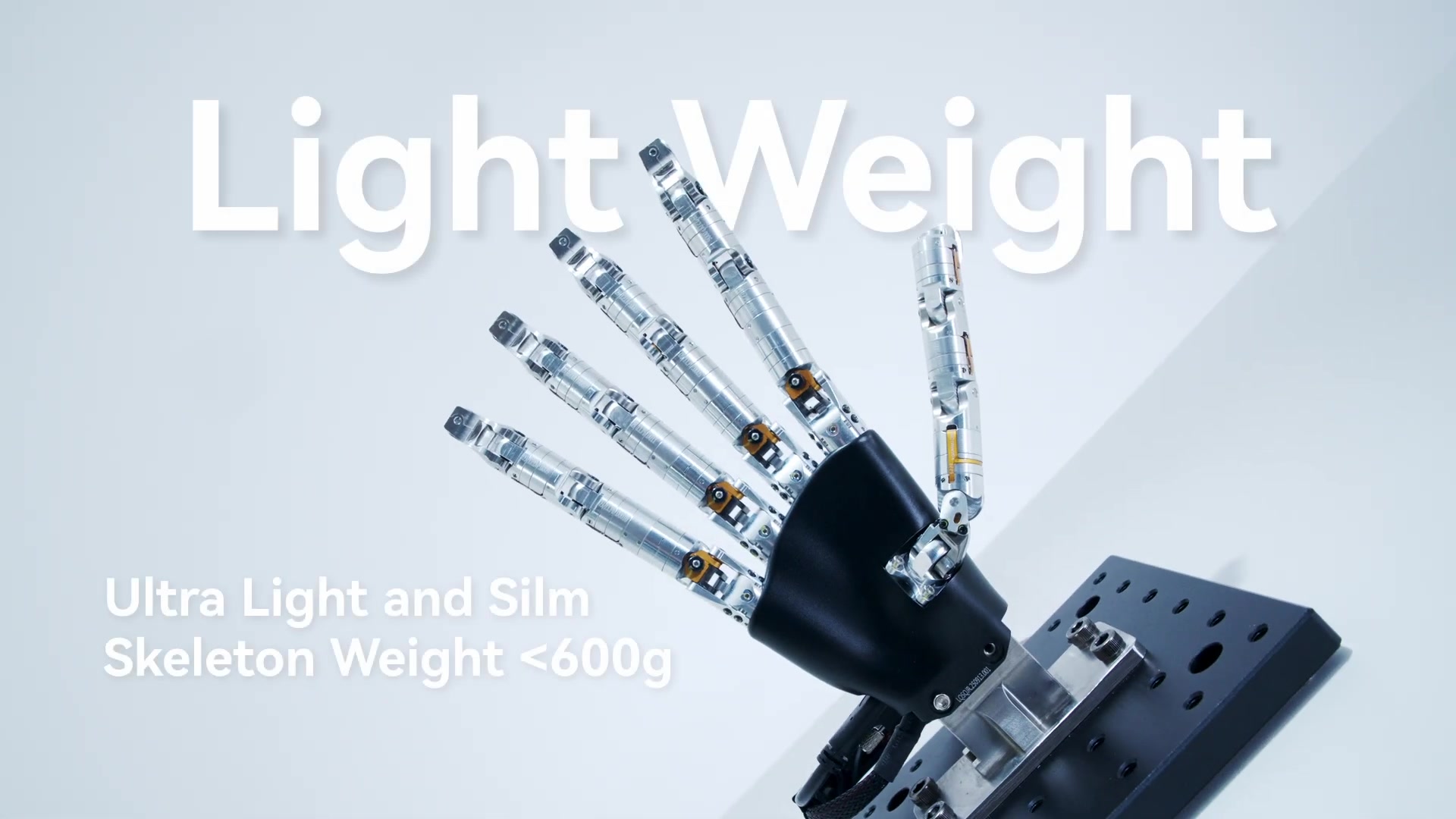
Inspire Robots' RH56 series are compact five-finger hands with 12 joints and six actuated degrees of freedom. The RH56DFX, for example, drives its joints with six miniature linear servo actuators, so each finger curls through coupled joints rather than moving every joint independently. That keeps the hands light and strong for their size. Three models matter for most buyers. The RH56DFX is the balanced, widely shipped model. The RH56E2 is the heavy-load industrial hand. The RH56F1 is the newer all-metal hand with fast EtherCAT communication. This guide compares them with live prices from our US store, gives the specs Inspire publishes, and covers setup and the problems Inspire's own FAQ addresses.
Inspire hand prices in the US (live)
| Model | Our price | Best for |
|---|---|---|
| RH56DFX | $10,500.00 | General grasping research, prosthetics-style tasks, the most common integration |
| RH56E2 | $10,530.00 | Heavy grasps and industrial handling, optional full-palm tactile sensing |
| RH56F1 | Request a Quote | Robots that need EtherCAT or CAN FD and a stiff all-metal hand |
Every model comes in left- and right-hand versions, and the RH56E2 and RH56F1 come with or without tactile sensors and with different communication interfaces. Before you order, confirm the hand side, the interface and the tactile option with us in writing so they match your controller.
Specifications
From Inspire Robots' product pages for the RH56DFX, RH56E2 and RH56F1. Where a model has variants, the figures are for the version shown in the column header.
| RH56DFX (no wrist) | RH56E2 (tactile) | RH56F1 (tactile) | |
|---|---|---|---|
| Joints | 12 | 12 | 12 |
| Weight | 540 g | 790 g ±10 g | 630 g ±10 g |
| Supply voltage | 12–48 V DC | 24 V ±10 % | 24–48 V |
| Interface | RS-485 | RS-485, CAN, Modbus TCP | EtherCAT + RS-485 (or EtherCAT + CAN FD) |
| Thumb fingertip force | 15 N | 30 N | ≥ 15 N |
| Finger fingertip force | 10 N | 28 N | ≥ 10 N |
| Force resolution | 0.5 N | 0.05 N | 0.1 N |
| Repeatability | ±0.2 mm | ±0.2 mm | ±0.2 mm |
| Four-finger flexion speed | 260°/s | > 200°/s | > 107°/s |
| Hand closing time | not listed | 0.8 s | ≤ 0.8 s |
| Tactile sensors | none | 17 (resistive or capacitive versions) | yes, 30 N range |
| Peak current | 2 A @ 24 V | 4 A @ 24 V | 5 A @ 24 V |
What Inspire says sets each one apart:
- RH56DFX: "leading cumulative shipments". It combines integrated absolute position sensors with force sensors for real-time force feedback, and the fingers self-lock when power is off, so the hand keeps its pose at power-up. A wrist version (RH56DFXW, 650 g) adds ±27° yaw and ±22° pitch.
- RH56E2: an industrial-grade hand whose overall load capacity Inspire equates to 15 kg. Built-in force sensors report the force on each finger, and the tactile modules cover the palm.
- RH56F1: an all-metal integrated skeleton, 1 kHz real-time communication and a 30 kg passive payload. Inspire says it has passed 20 stringent tests.
Which Inspire hand should you buy?
- First dexterous hand for a research arm or a learning project: RH56DFX. It is the lightest, runs from a wide 12–48 V range over a simple RS-485 link, and has the most existing integrations.
- Heavy objects, tools and industrial parts: RH56E2, with two to three times the fingertip force of the DFX. Choose the tactile version if you need contact data across the palm.
- A humanoid or arm with an EtherCAT or CAN FD bus: RH56F1. It plugs into a real-time fieldbus instead of a serial line, and its metal skeleton handles impacts and passive loads better.
- Twenty degrees of freedom, or a hand you can repair yourself: an Inspire hand is the wrong tool. Look at the Wuji Hand 2 (From $14,600.00), with 20 directly driven joints, or the open-source LEAP Hand. The dexterous hand comparison lists every hand we sell.
First day with an Inspire hand
- Match the power supply to the model. The RH56DFX accepts 12–48 V, the RH56F1 24–48 V, and the RH56E2 needs 24 V ±10 %. Size the supply for the peak current in the table above, not the idle current.
- Get the right adapter for the interface. RS-485 needs a USB-to-RS-485 adapter on a PC. The CAN, Modbus TCP and EtherCAT versions need the matching interface or master on your robot controller. The interface is fixed by the model you order.
- Mount it with a proper adapter plate. Inspire hands do not bolt straight onto most arm flanges. Plan an adapter and route the cable so it cannot snag when the wrist rotates.
- Test with Inspire's host software first. Inspire's downloads page carries the PC software ("Upper Computer") and the user manuals for each series. Open and close each finger and read back position and force before writing your own driver. This separates wiring problems from code problems.
- Know the RS-485 defaults. Inspire's RH56 series manual (for the DFX and BFX) specifies 8 data bits, 1 stop bit, no parity and a default of 115200 baud, with the hand at ID 1. The hand speaks both Inspire's register protocol and Modbus. If you put two hands on one bus, give each a different ID first.
- Then move to your own stack. Our listings note ROS support with plug-ins available. Inspire's FAQ says simulation is done in Gazebo.
- Log forces from day one. Grasp failures are much easier to diagnose from recorded finger forces than from video alone.
Common problems and what to check first
These come from Inspire's FAQ unless noted:
- Sensors show non-zero readings with an open, empty hand. Inspire attributes this to palm rubber that has not recovered and is pressing on the sensor, or to zero drift within the sensor's accuracy. Its stated force-control accuracy is 0.5 N, so small offsets are normal. Re-zero before each session.
- Force calibration on an RH56E2 gets no response. Inspire says some RH56E2 units need firmware V0114 or later before calibration through register 1009 works. Ask us to arrange the firmware from Inspire.
- A fast-model hand jitters at its maximum position. In the host software, change the driver control mode from "Driver PWM" to "Driver Position Control" under Internal Parameters.
- Sensor data arrives slower than expected. Inspire gives 50 Hz as the sensor refresh rate after the control board. If you need faster feedback, the RH56F1 is specified for 1 kHz real-time communication.
- No response at all. Check supply voltage and polarity, the adapter and its wiring, and that your software uses the hand's configured address and baud rate. Inspire's host software is the quickest way to confirm the hand itself is alive.
FAQ
How much does an Inspire hand cost? From Request a Quote for the RH56F1 in our store today. The RH56DFX is $10,500.00 and the RH56E2 is $10,530.00. A hand for each side doubles the cost.
How many degrees of freedom does an Inspire hand have? Six actuated degrees of freedom across 12 joints. The thumb both flexes and rotates sideways (Inspire lists a separate speed for each). The wrist version of the RH56DFX is listed as "6+2".
Does the Inspire hand have tactile sensing? All three report finger force. The RH56E2 and RH56F1 are also sold in tactile versions. The RH56E2 tactile version has 17 tactile sensors, in resistive (T1) and capacitive (T2) types.
Can I use it in simulation? Inspire's FAQ names Gazebo for simulation testing.
Which hand do humanoid builders use? That depends on the robot's bus and weight budget. Tell us the platform and we will confirm the variant, interface and mounting before you order.