



LEAP Hand Guide: v1 and v2 Price, Specs, Assembly and Setup
The open-source LEAP Hand from Carnegie Mellon explained: live US prices for the v1 kit, the v1 pair and v2, specs from the LEAP Hand project, assembly and software setup, and fixes for the problems builders hit most.
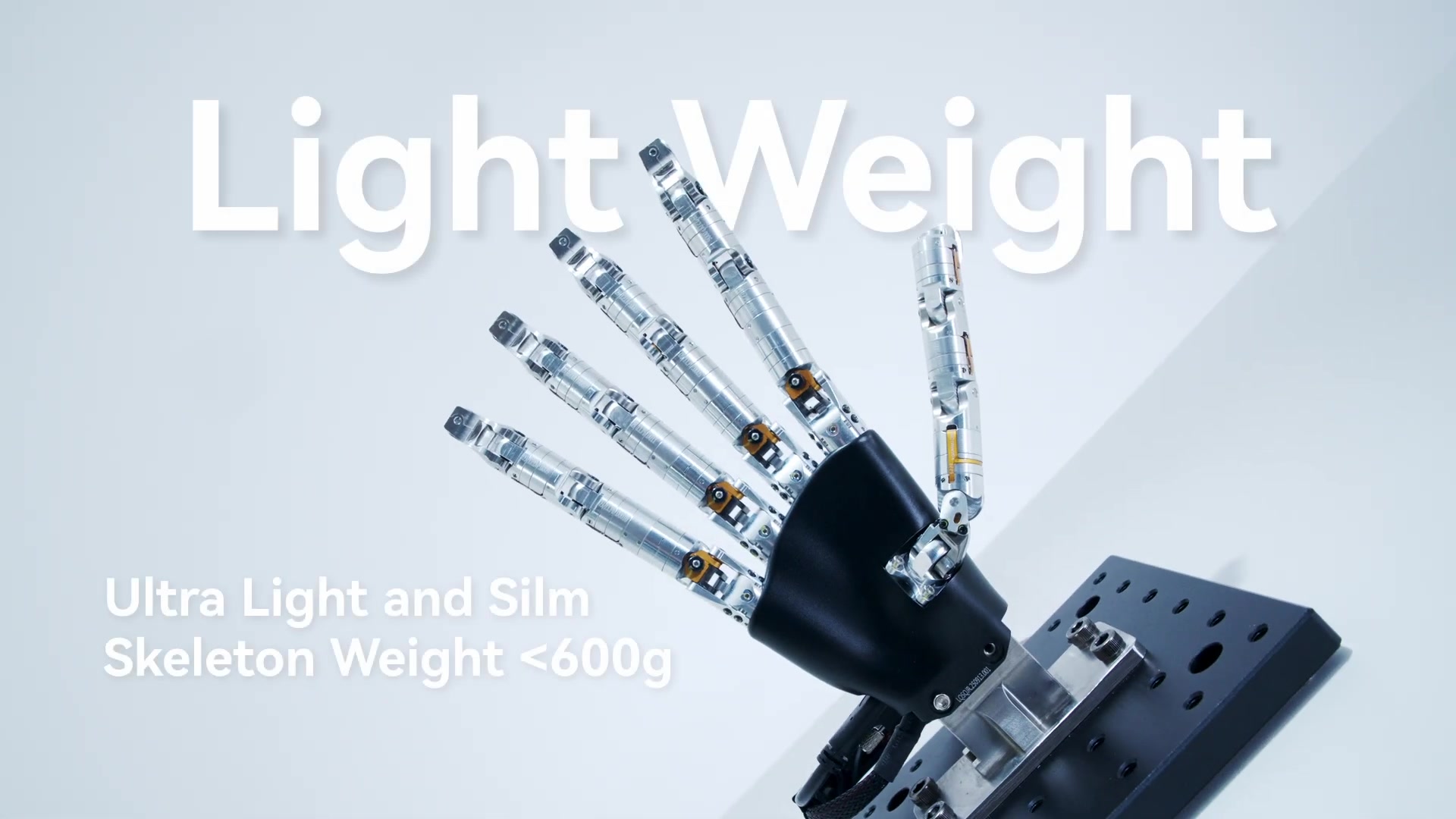
LEAP Hand is an open-source robot hand designed at Carnegie Mellon University for machine-learning research. The original paper (Shaw, Agarwal and Pathak, RSS 2023) set out to make a hand that is cheap, strong and easy to repair, so that dexterous manipulation could move out of simulation. The authors report that it outperformed the Allegro Hand in all their experiments at one eighth of the cost. A second version, LEAP Hand v2, was shown at RSS 2025. This guide covers what each version costs from our US store today (prices below update from the store automatically), the specifications the LEAP Hand project publishes, assembly and software setup, and the problems builders run into.
LEAP Hand prices in the US (live)
| Product | Our price | What it is |
|---|---|---|
| LEAP Hand v1 Assembly Kit | $2,066.00 | One 16-DOF hand to assemble. Our listing specifies 16 Dynamixel XC330-M288-T actuators and a U2D2 controller with power hub |
| LEAP Hand v1 Bimanual Pair | $4,133.00 | Two v1 hands (32 actuators) for two-handed work |
| LEAP Hand v2 | $4,550.00 | The hybrid rigid-soft v2 with 8 powered motors |
Because the hardware is open, you can also source every part yourself from the project's parts list and print the rest. Buy from us when you want the actuators and electronics in one order, US support, and a single invoice. Ask us to confirm which printed parts and cables are included before you order.
Specifications
LEAP Hand v1, from the LEAP Hand v1 site, its parts list and our listings:
| Spec | LEAP Hand v1 |
|---|---|
| Fingers | 4 (three fingers and a thumb) |
| Degrees of freedom | 16, all actuated |
| Actuators | Dynamixel XC330-M288-T (Full) or XL330-M288-T (Lite) |
| Controller | ROBOTIS U2D2 over Micro-USB |
| Signature feature | Universal abduction-adduction MCP joint for side-to-side dexterity with fingers up or down |
| Assembly time | Under three hours with common hand tools, per the project site |
| Weight (our listing) | 1.2 kg per hand |
| License | Code MIT; CAD CC BY-NC-SA |
The Lite build uses the same construction, assembly and control with weaker, less durable XL330 motors. The project recommends it for education and demos.
LEAP Hand v2, from the LEAP Hand v2 site:
- A hybrid rigid-soft design. The fingers have a rigid interior, and their soft joints are driven by a single tendon. Each finger is multi-material 3D printed in TPU and PLA.
- 16 degrees of freedom in total, driven by 8 powered motors. The fingers curl in an under-actuated way: the MCP joint bends most, then the PIP and DIP.
- It keeps the signature LEAP MCP side joint, so pinches work between the thumb and each of the three fingers.
- The palm and each finger are single printed pieces. The authors say it assembles in under two hours.
- It is human-hand sized and mounts gripper-style or wrist-style on many arms.
v1 or v2? Choose v1 for full actuation of all 16 joints, the original paper's results and the project's Isaac Gym and Isaac Lab environments. Choose v2 for a lighter (0.5 kg against 1.2 kg in our listings), more compliant hand that is faster to build, accepting that it has 8 motors instead of 16.
How LEAP compares with the hands people weigh it against
| LEAP Hand v1 | Allegro Hand V5 | Inspire RH56DFX | |
|---|---|---|---|
| Our price | $2,066.00 | $13,000.00 | $10,500.00 |
| Fingers | 4 | 4 | 5 |
| Actuated DOF | 16 | 16 | 6 |
| Actuators | 16 Dynamixel servos | 16 brushless DC servo motors | 6 miniature linear servo drives |
| Weight | 1.2 kg | about 1.0 kg | 540 g |
The LEAP and Allegro figures come from our LEAP v1 kit and Allegro Hand listings, and the RH56DFX figures from Inspire Robots and our RH56DFX listing. See the Allegro Hand page, the Inspire hand guide and the dexterous hand comparison for every hand we sell.
Assembling a v1 hand
From the project's assembly instructions:
- Check the motor horns are at home. The marks on each horn show the Dynamixel home position. Attach every horn in that position, or the hand will not match the CAD model when it moves to its home pose.
- Sort the three screw types first. TAP screws (serrated, supplied with the Dynamixel brackets), standard M2 × 4 mm Dynamixel screws, and hex-head screws are not interchangeable.
- Build three fingers and the thumb, following the MCP, PIP and DIP steps. For a left hand, only the thumb assembly and the palm print change.
- Fit the brass inserts into the palm and your mounting lid with a soldering iron at 250 °C.
- Set motor IDs one at a time in Dynamixel Wizard, before chaining them. The MCP side motors are IDs 0, 4 and 8.
- Chain the motors to the U2D2 through the custom cable or a Dynamixel power hub.
Software setup
From the LEAP Hand API README:
- Power and USB. Connect 5 V power (the Dynamixels light up on boot) and the Micro-USB cable. Avoid chaining USB extensions.
- Find the port. Use Dynamixel Wizard to find the serial port, then close it. The API cannot open the port while Wizard has it. On Ubuntu, use the stable path under
/dev/serial/by-idand give it permissions withsudo chmod 666. - Pick an API. Python, C++, ROS and ROS 2 are officially supported. v2 has its own LEAP_Hand_V2_API.
- Cut the latency. Lower the USB latency setting and set each motor's Return Delay Time (control table register 9) from 250 µs to 0 µs.
- Set the current limit. The API defaults to 300 mA. On the Full hand you can raise it to about 550 mA for more strength. Keep the Lite hand at about 300 mA.
- Stay within the query rate. Reading position, velocity and current is limited to about 500 Hz. Faster polling slows the USB link.
For learning work, the project provides Isaac Gym and Isaac Lab environments, a MANO-to-LEAP joint mapping for retargeting human hand data, and glove and Vision Pro teleoperation code.
Common problems and what to check first
From the API README's troubleshooting list:
- A joint is off by 90°, 180° or 270°. The motor horn was mounted away from home. Remount it.
- No motors show up. Check the serial port permissions, and that Dynamixel Wizard is closed.
- Some motors are missing. Check their IDs and the U2D2 and cable connections for that finger.
- Motors flash red (overload). Power-cycle the hand. If it keeps happening, lower the current limit.
- Jittery fingers. Lower the P and D gains.
- Weak or inaccurate fingers. Raise the P and D gains. On a Full hand, check whether you are still at the 300 mA default.
FAQ
How much does a LEAP Hand cost? The v1 assembly kit is $2,066.00 in our store today, the bimanual pair is $4,133.00 and v2 is $4,550.00.
Is LEAP Hand open source? Yes. The code is MIT-licensed and the CAD is CC BY-NC-SA, which allows non-commercial use with attribution. Read the license before you use the design in a commercial product.
How long does assembly take? The project says under three hours for v1 and under two hours for v2, with common hand tools.
Does LEAP Hand work with ROS 2? Yes. The API has a ROS 2 module alongside Python, C++ and ROS 1.
Can I teleoperate it with a glove? Yes. The LEAP team publishes Manus glove and Apple Vision Pro teleoperation code. See our glove-based teleoperation guide for the hardware side.