

Unitree Go2 Price, Tiers & US Buying Guide (2026)
What each Unitree Go2 tier adds (Air, Pro, X, EDU, EDU Plus, Enterprise and the wheeled Go2-W), live US prices, specs, first-day setup and the faults owners hit most.
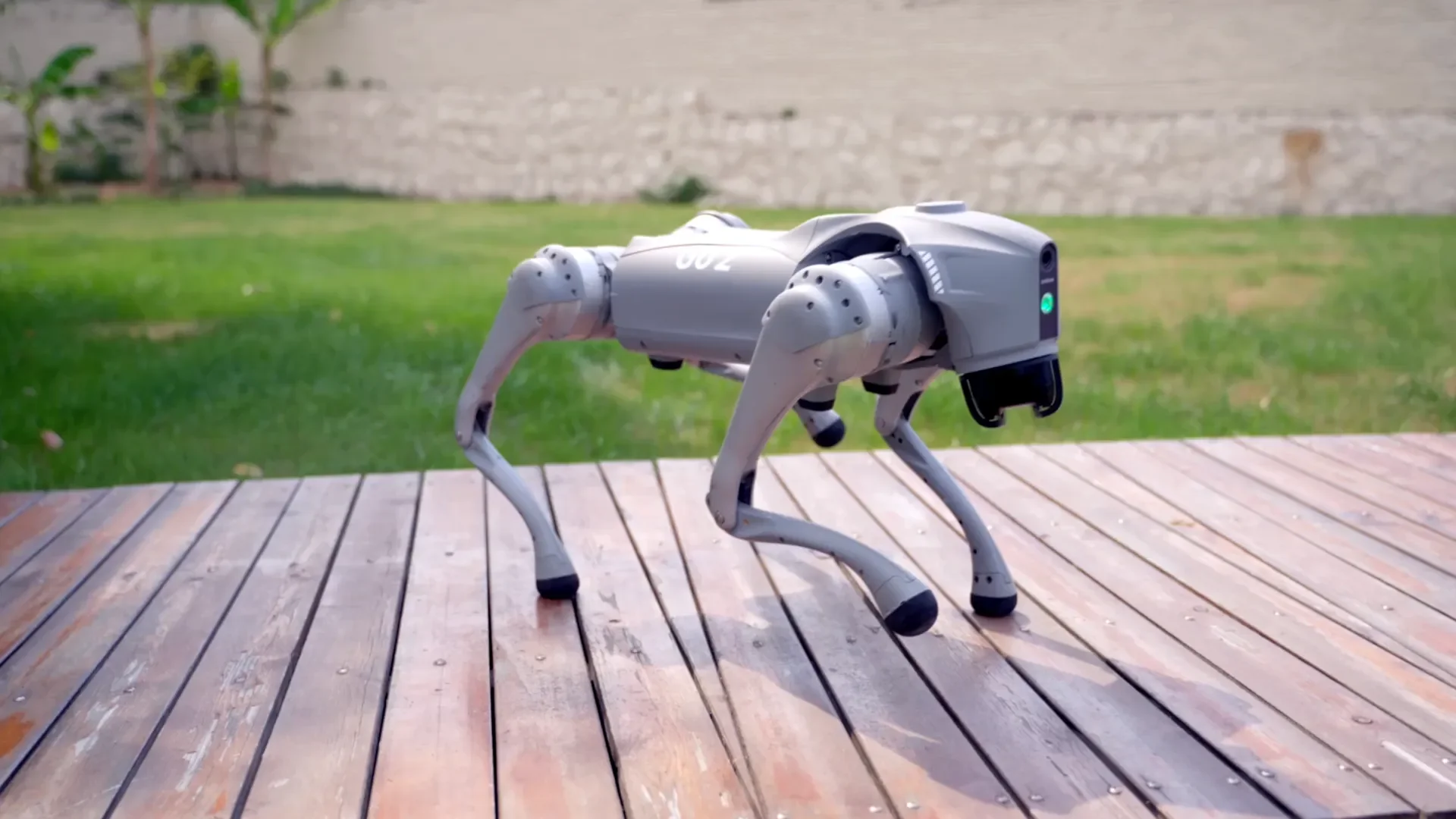
The Unitree Go2 is a 15 kg, 12-joint quadruped sold in more configurations than any other robot dog. The tiers share the same body; what changes is whether you can program it, how long it runs, and which sensors and compute ride on top. This guide explains each tier, shows what each one costs from our US store today (prices below update from the store automatically), and covers the first-day setup and the problems owners run into most.
Short answer: buy the Pro if you want the robot to walk, follow, map and avoid obstacles from the app; buy an EDU tier if you will write code against it, because only EDU-class units are open to secondary development; buy the Go2-W if it will spend most of its time on paved ground.
Go2 prices in the US (live)
| Configuration | Our price | Who it is for |
|---|---|---|
| Go2 Pro | $3,690.00 | App control, demos |
| Go2 EDU | $11,090.00 | Research and development |
| Go2 X | $7,500.00 | Charging-pile compatible, partial development access (per Unitree) |
| Go2 EDU Plus | $13,105.00 | EDU-class configuration |
| Go2 EDU-U3 | $16,955.00 | EDU-class bundle |
| Go2 EDU-U4 | $19,330.00 | EDU-class bundle |
| Go2 Ent | $13,105.00 | Industry (Ent) configuration |
| Go2 Ent-Plus | $16,905.00 | Industry (Ent) configuration |
| Go2 Ent-GAS | $11,205.00 | Industry (Ent) configuration |
| Go2 Ent-MTPTZ | $22,605.00 | Industry (Ent) configuration |
| Go2-W Standard | $12,900.00 | Wheel-legged Go2 |
| Go2-W | $13,899.00 | Wheel-legged Go2 |
| Go2-W Plus | $18,805.00 | Wheel-legged Go2 package |
| Go2-W Inspection Package | $32,199.00 | Wheel-legged Go2 package |
The suffixed bundles (EDU-U3/U4, Ent-*, Go2-W packages) are Unitree factory configurations whose exact contents change between production runs. Each product page lists what ships today; if a line item matters to your project, ask us to confirm it in writing before you order.
Why a US price differs from Unitree's list price. Unitree's own Go2 spec page lists the Air at $1,600, the Pro at $2,800 and the X at $4,500, explicitly excluding tax and freight, and does not publish an EDU price. That list is not directly comparable with a US store price, so compare like with like.
What each tier adds
Every Go2 tier has the same body: about 15 kg with battery, 70 × 31 × 40 cm standing, 12 aluminium joint motors with peak joint torque around 45 N·m, Unitree's 4D LiDAR L2 (360° × 96°), an HD wide-angle camera, Wi-Fi 6 and Bluetooth, and OTA updates. The differences, from Unitree's comparison table:
| Air | Pro | X | EDU | |
|---|---|---|---|---|
| Speed | 0–2.5 m/s | 0–3.5 m/s | 0–3.7 m/s (max ~5) | 0–3.7 m/s (max ~5) |
| Payload | ≈7 kg (max ~10) | ≈8 kg (max ~10) | ≈8 kg (max ~12) | ≈8 kg (max ~12) |
| Climb angle | 30° | 40° | 40° | 40° |
| Onboard 8-core CPU | No | Yes | Yes | Yes |
| 4G (with GPS), voice, side-follow (ISS 2.0) | No | Yes | Yes | Yes |
| Charging-pile compatible | No | No | Yes | Yes |
| Secondary development (SDK) | No | No | Partial | Yes |
| Foot-end force sensors | No | No | No | Yes |
| Depth camera | No | No | No | Yes |
| High-compute module (e.g. NVIDIA Orin) | No | No | No | Available |
| Battery | 8,000 mAh, ~1–2 h | 8,000 mAh, ~1–2 h | 8,000 mAh, ~1–2 h | 15,000 mAh, ~2–4 h |
| Charger | Standard | Standard | Standard | Fast (33.6 V 9 A) |
| Warranty (Unitree) | 6 months | 12 months | 12 months | 12 months |
Two consequences matter more than any spec line:
- The SDK decides the tier. Air and Pro are closed to secondary development. If anyone on the project will use ROS 2, run a learned policy or read raw sensor data, the decision is between EDU-class units, not between Pro and EDU. Unitree's own note says some advertised behaviours "shall be realized" through human operation or secondary development, so plan for development time either way.
- Runtime is a battery decision. EDU ships with the 15,000 mAh pack (about 2–4 h). On the other tiers, a spare long-range battery (current store price: $1,200.00) is the cheapest way to double useful time in the field.
Go2-W is the wheel-legged version: about 18 kg, 0–2.5 m/s, a 35° climb angle and the same ≈8 kg payload, per its product page. Wheels make it more efficient on floors and pavement, and it can still step over obstacles. Choose it for indoor or campus patrol routes. Choose the legged Go2 for stairs-heavy or loose terrain.
Which Go2 should you buy?
- Demos, events, outreach, STEM showcase: Pro. It has the full app feature set and nothing to program.
- University lab, RL or navigation research: EDU, or one of the EDU-class bundles if its listed contents match your plan. Budget for a second battery.
- Autonomous patrol or docking: X or an EDU tier. Among Air, Pro, X and EDU, only these two are charging-pile compatible.
- Facility inspection: an Ent (industry) configuration. Confirm the sensor package on the product page before ordering.
- Heavier payloads or all-weather work: step up to the Unitree B2 or the A2 family. The robot dog price guide lists every quadruped we sell.
First day with a Go2
- Charge the battery fully first. A full charge avoids a shutdown in the middle of the first firmware update.
- Pair with the Unitree app and update firmware. Do it on a stable network before the first walk. OTA updates install over Wi-Fi.
- First walk in open space. Start on a flat, non-slippery floor with 3 m of clearance. Practise stand, lie-down and the emergency stop on the remote before trying stairs or gaits.
- EDU only: set up the development host. Install unitree_sdk2 (C++) or unitree_ros2 on an Ubuntu machine. Connect over the robot's wired interface. Run the bundled examples, which take the name of your network interface as an argument, before writing your own code. Unitree's developer documentation is the reference for the current SDK.
- Log from day one. Record bag files and video for every session. Diagnosing a fall or a drift later is far easier with data than from memory.
Common problems and what to check first
- The SDK examples cannot see the robot. The PC's wired interface is usually not on the robot's subnet, or the wrong interface name was passed to the example. Fix the IP configuration, then re-run the example unchanged before touching your own code.
- App features missing on a new unit. Firmware on the robot and the app version are out of step. Update both, then restart the robot.
- Short runtime. Check which battery you have (8,000 mAh vs 15,000 mAh) before suspecting a fault. Heavy payloads, stairs and cold weather all cut runtime.
- Stumbles after a fall or transport. Power-cycle on flat ground and let it stand up before walking. If one leg consistently behaves differently, stop using it and contact support rather than continuing to walk it.
- 4G not connecting outside China. Unitree notes that the 4G function of non-mainland versions supports only certain regions. Use Wi-Fi or your own modem for US deployments.
FAQ
How much does a Unitree Go2 cost in the US? From $3,690.00 for the Go2 listing in our store, with each tier priced in the table above. EDU-class research configurations cost more because they add development access, the long-endurance battery, force sensors and a depth camera.
Can I upgrade a Pro to EDU later? Don't count on it. Development access is part of the configuration Unitree ships, so if you might need it later, ask us before you order.
Is the Go2 affected by the FCC Covered List? On July 28, 2026 the FCC added foreign-produced "advanced robotic devices", which it defines as mobile robots such as humanoids and quadrupeds, to its Covered List. According to the FCC fact sheet, the update "does not prohibit the import, sale, or use of any existing models" the FCC previously authorized, and it "does not affect any previously purchased devices." New models generally cannot receive FCC authorization. If compliance matters for your organization, ask us for the FCC ID of the exact configuration before you order.
How long is the lead time? Each product page shows current availability and the delivery estimate.
Can I lease or try one first? Yes. See leasing, or contact us to arrange a visit to our San Francisco lab.