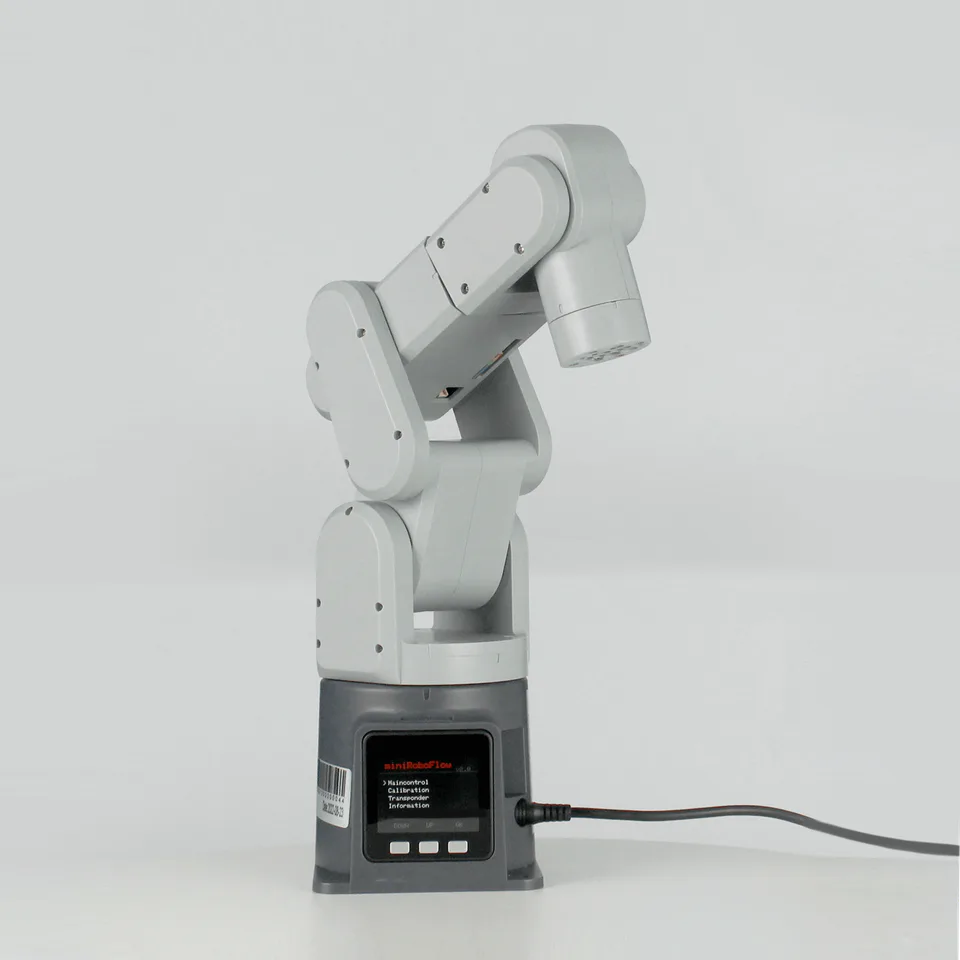
Elephant Robotics mechArm 270 M5
$649.00Backorder
Key Specifications
120°/s', description = 'HEY,MECHARM!Have you ever imagined you could have a little robot that does everything? Not those giant ones in the sci-fi movies but a compact yet versatile robot. I have! And we actually made it into reality. Introducing mechArm --- The most compact 6-Axis robot arm ideal for markers, designers & anyone who loves to create!Small But MightySuper lightweight, compact and powerful. Featuring a 6-axis design, mechArm offers 6 DOF highly precise motion control performance. With a built-in Raspberry Pi chip, mechArm integrates IO port and LEGO Port,putting ideas within reach so that you can go beyond the impossible to realize your full creativity.LightWeight & CompactSmall and delicate mechArm is born with a lightweight and compact body, open your bag, take out your mechArm and let it do the rest of the creative work.Capability Without LimitsSuper versatile than you can imagine! Built for makers and designers to bring their ideas into reality, mechArm allows them to only focus on creativity. Picking and placing, playing Gomoku, drawing, voice control, visual tracking, laser engraving and more. The ability is only limited by your imagination.PARAMETERSmechArm 270 integrated with M5Stack and utilizes an ESP32 core processor and boasts two built-in screens and physical buttons for intuitive control. Six degrees of freedom joint motion, 270mm radius of motion, to help achieve your ideal control.EXCELLENT CONFIGURATIONmechArm is equipped with complicated and intelligent configuration, which highly satisfies your demands of creative secondary developments.OPEN-SOURCE INTERFACESBased on different kinds of applications, open-source to its interfaces and enables to achieve objects recognition, facial recognition, image recognition etc.Learn Robotics with ProgrammingWe provides a Gitbook for quickly building a robotic arm development environment with detailed tutorials on everything from setting up the environment to controlling the robotic arm and support popular programming languages like Python, C++, C#, and Arduion.Flexible & Effortless OperationmechArm's intuitive slider controls enable effortless operation, making it an ideal choice for both beginners and experienced users.The World's Mainstream Robot Communication FrameworkYou can control mechArm and conduct algorithm verificationin under a virtual environment, which reduces the requirements for the experimental environment and improves the experimental efficiency.Offer Optional AI Kit IntegrationmechArm 270 can be integrated with an AI Kit, enabling users to delve into machine vision and robot-arm coordination for object recognition and grasping tasks.Hot Accessories Recommended myCobot Adaptive GripperIt can achieve grabbing applications with robotic arms. myCobot G-Shape BaseIt is fixed by a G-type clamp and can be freely installed on the edge of the desktop. myCobot Suction BaseIt can fix the robotic arm by vacuum adsorption principle. myCobot Camera FlangeIt can be used in more applications such as machine vision and image recognition. myCobot Suction PumpIt performs the function of absorbing objects with robotic arms. myCobot Flexible GripperIt is used to clamp irregularly shaped objects and can be deformed. myCobot Parallel GripperIt can complete the fine application of robotic arm grabbing. myCobot Phone HolderIt caters to a wide range of phone sizes. myCobot Pen HolderIt can adapt to various types of pens for stable gripping. myCobot GamepadIt can directly control the robotic arm, and can also be used by other software. myCobot Dual-Vacuum GripperIt performs the function of absorbing larger objects with robotic arms. myCobot CylinderIt is used to implement the function of creative development.myStudioCentralized Robot Management: myStudio offers firmware updates, video tutorials, and maintenance/repair information, all accessible from a one-stop platform. Download Windows Download Linux Download Mac Instructions Get User Tutorial On Gitbook (Recommended Reading) Get Software Tutorial On GitHub (Coding Learning) Download 3D File (Host & Accessories STEP Files) Learn More User Cases
Movement Maximum Speed
18 kg
Net weight
6
Degree Of Freedom
8~12V 5A
Power Input
All Specifications
BrandElephant Robotics
CategoryRobotic Arm
AvailabilityBackorder
Net weight18 kg
ModelmechArm-270 M5 mechArm 270-Pi
ControllerM5Stack-basic Raspberry Pi 4B
Load250g
Weight1kg
Effective Working Radius270mm
Motor TypeHigh-precision magnetic encoder motor x 6
Degree Of Freedom6
Repeated Positioning Accuracy±0.5 mm
Movement Maximum Speed120°/s', description = 'HEY,MECHARM!Have you ever imagined you could have a little robot that does everything? Not those giant ones in the sci-fi movies but a compact yet versatile robot. I have! And we actually made it into reality. Introducing mechArm --- The most compact 6-Axis robot arm ideal for markers, designers & anyone who loves to create!Small But MightySuper lightweight, compact and powerful. Featuring a 6-axis design, mechArm offers 6 DOF highly precise motion control performance. With a built-in Raspberry Pi chip, mechArm integrates IO port and LEGO Port,putting ideas within reach so that you can go beyond the impossible to realize your full creativity.LightWeight & CompactSmall and delicate mechArm is born with a lightweight and compact body, open your bag, take out your mechArm and let it do the rest of the creative work.Capability Without LimitsSuper versatile than you can imagine! Built for makers and designers to bring their ideas into reality, mechArm allows them to only focus on creativity. Picking and placing, playing Gomoku, drawing, voice control, visual tracking, laser engraving and more. The ability is only limited by your imagination.PARAMETERSmechArm 270 integrated with M5Stack and utilizes an ESP32 core processor and boasts two built-in screens and physical buttons for intuitive control. Six degrees of freedom joint motion, 270mm radius of motion, to help achieve your ideal control.EXCELLENT CONFIGURATIONmechArm is equipped with complicated and intelligent configuration, which highly satisfies your demands of creative secondary developments.OPEN-SOURCE INTERFACESBased on different kinds of applications, open-source to its interfaces and enables to achieve objects recognition, facial recognition, image recognition etc.Learn Robotics with ProgrammingWe provides a Gitbook for quickly building a robotic arm development environment with detailed tutorials on everything from setting up the environment to controlling the robotic arm and support popular programming languages like Python, C++, C#, and Arduion.Flexible & Effortless OperationmechArm's intuitive slider controls enable effortless operation, making it an ideal choice for both beginners and experienced users.The World's Mainstream Robot Communication FrameworkYou can control mechArm and conduct algorithm verificationin under a virtual environment, which reduces the requirements for the experimental environment and improves the experimental efficiency.Offer Optional AI Kit IntegrationmechArm 270 can be integrated with an AI Kit, enabling users to delve into machine vision and robot-arm coordination for object recognition and grasping tasks.Hot Accessories Recommended myCobot Adaptive GripperIt can achieve grabbing applications with robotic arms. myCobot G-Shape BaseIt is fixed by a G-type clamp and can be freely installed on the edge of the desktop. myCobot Suction BaseIt can fix the robotic arm by vacuum adsorption principle. myCobot Camera FlangeIt can be used in more applications such as machine vision and image recognition. myCobot Suction PumpIt performs the function of absorbing objects with robotic arms. myCobot Flexible GripperIt is used to clamp irregularly shaped objects and can be deformed. myCobot Parallel GripperIt can complete the fine application of robotic arm grabbing. myCobot Phone HolderIt caters to a wide range of phone sizes. myCobot Pen HolderIt can adapt to various types of pens for stable gripping. myCobot GamepadIt can directly control the robotic arm, and can also be used by other software. myCobot Dual-Vacuum GripperIt performs the function of absorbing larger objects with robotic arms. myCobot CylinderIt is used to implement the function of creative development.myStudioCentralized Robot Management: myStudio offers firmware updates, video tutorials, and maintenance/repair information, all accessible from a one-stop platform. Download Windows Download Linux Download Mac Instructions Get User Tutorial On Gitbook (Recommended Reading) Get Software Tutorial On GitHub (Coding Learning) Download 3D File (Host & Accessories STEP Files) Learn More User Cases
Power Input8~12V 5A