







SO-101 Robot Arm
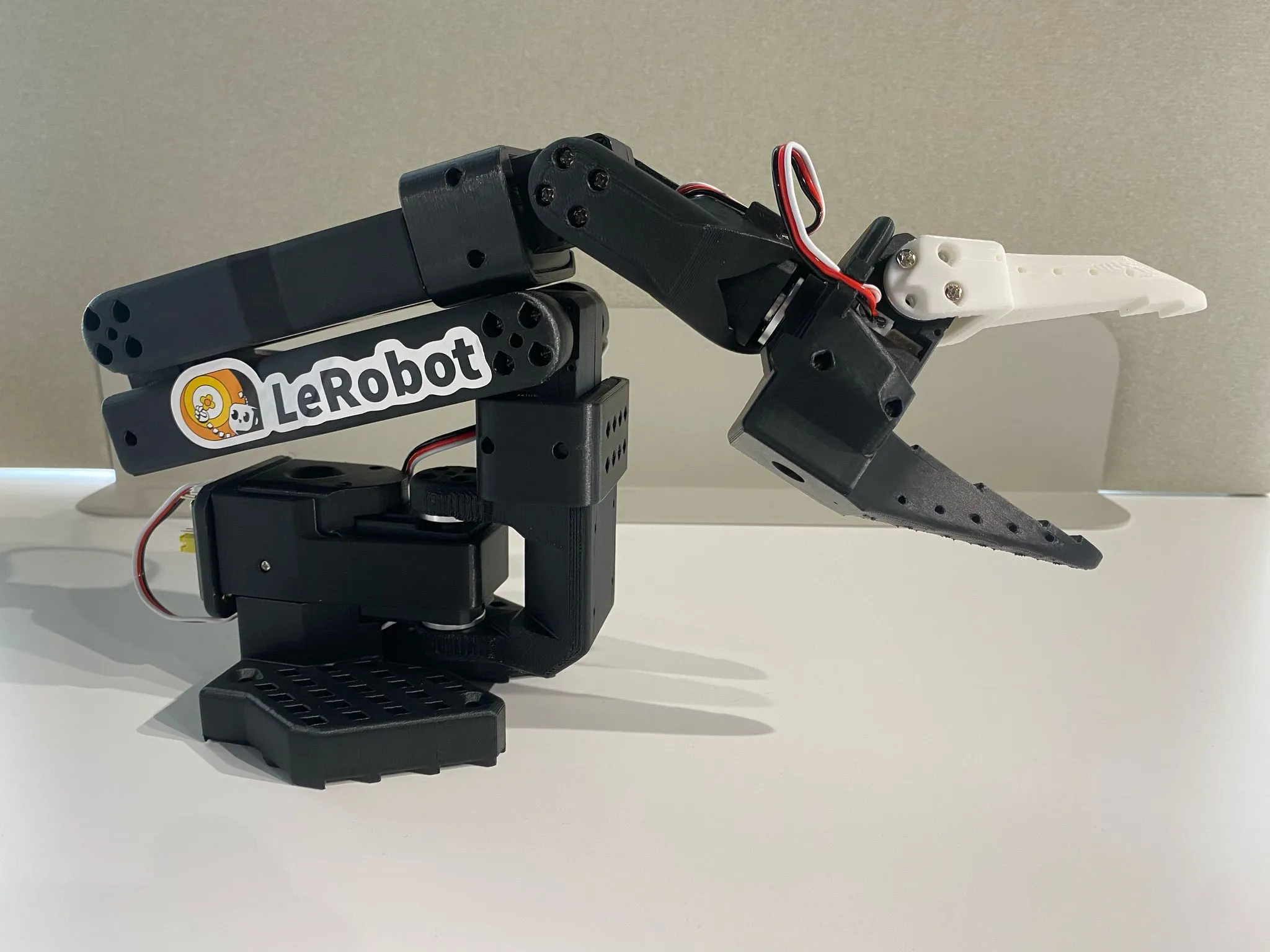
The most affordable path into robot learning. Build it, calibrate it, and start collecting imitation learning data with LeRobot in an afternoon.
lerobot, run calibration, and start collecting data.
Your Setup Journey
From parts in hand to first data collection. Takes about 3–4 hours total depending on 3D print time.
Assembly
Print or source parts, install Feetech STS3215 servos, route cables
Software Install
Install LeRobot via pip or uv, verify the so101 device type is available
Port Detection & Calibration
Find the serial port, run calibration, move arm through full range
First Motion Test
Run the teleoperate script to confirm all joints respond correctly
Teleoperation
Use as follower arm with a leader arm; verify leader-follower tracking
Data Collection
Record demonstrations with lerobot-record, push dataset to HuggingFace Hub
Hardware at a Glance
| Degrees of Freedom | 6 DOF |
| Actuators | Feetech STS3215 servo motors |
| Reach | ~500 mm |
| Payload | ~500 g |
| Communication | USB serial (115200 baud default) |
| Software | LeRobot native (robot.type=so101) |
| Build | 3D-printed + off-the-shelf hardware |
| Cost | ~$100–200 (DIY) |
Compatible AI Models
The SO-101 records data in LeRobot format, compatible with leading imitation learning policies out of the box.
ACT
Action Chunking Transformer — best for pick-and-place tasks. Predicts action sequences from camera observations.
View model →Diffusion Policy
Best for contact-rich manipulation. Generates smooth trajectories using denoising diffusion over joint space.
View model →OpenVLA
Language-conditioned manipulation tasks. Combines vision-language understanding with robot action prediction.
View model →Technical Guides
Research articles and guides covering the full SO-101 learning path.
Works Great With
The SO-101 works as a standalone follower arm for single-arm data collection, or pair it with a leader arm for bimanual teleoperation.
DK1 Leader Arm
Use the SO-101 as a follower with the DK1 leader arm for high-quality bimanual teleoperation and imitation learning data collection. Both are LeRobot-native and share USB serial communication.
Learn about DK1 →Is the SO-101 Right for Me?
The SO-101 and the DK1 Bimanual Kit are both open-source and LeRobot-compatible. They target different levels of capability and budget.
| Feature | SO-101 | DK1 Bimanual Kit |
|---|---|---|
| Price (DIY) | ~$122 (follower only) ~$230 follower + leader set |
Significantly higher DM motors + CAN adapter add cost |
| DOF | 6 + gripper (single arm) | 7 + gripper (per arm, bimanual) |
| Payload / stiffness | ~500 g — small object manipulation | Higher payload, stiffer joints |
| 3D printing required | Yes — PLA+, 0.2 mm layers, 15% infill Or buy a pre-printed kit |
Partial — sheet metal chassis + some printed parts |
| Assembly difficulty | Low — screw assembly, no special tools | Medium — motor calibration, CAN wiring |
| LeRobot integration | Native — so101_follower |
Plugin — dk1_follower (install separately) |
| Best use case | Entry-level research, individual researchers, budget-conscious labs, first robot | Advanced bimanual manipulation, professional data collection, heavier tasks |
Community
Pricing & Availability
Open-source design — build it yourself or buy the ready-to-assemble SO-101 kit, or browse all robot arms in the store. Contact us for bulk educational orders. Prices current as of 2026.